3.Software Preparation
This section explains when you need the local firmware package and where to download it.
Note
If you are using the online flasher, you can usually skip this page and continue with Quick Start.
Flashing Software and Bin File Download
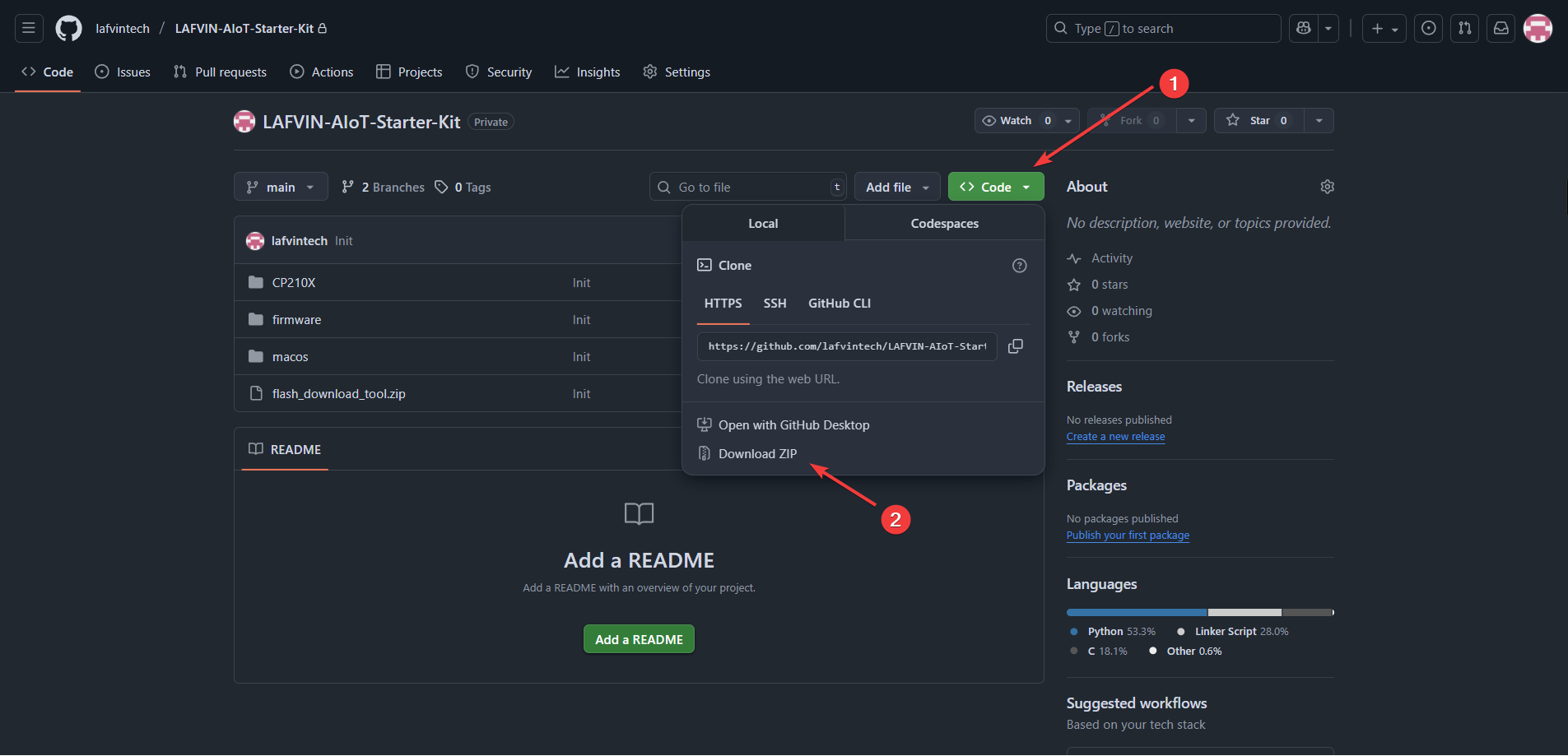
Visit the GitHub repository or download the project zip file from this link.
The package includes the latest firmware binary, local flashing tools, and driver files.
Extract the package to a local folder that is easy to access.
Use the local package when:
the online flasher cannot detect your board
you need the Windows Flash Download Tools workflow
you are using the macOS local flashing workflow
Before flashing locally, make sure the CP210x driver is installed. Please refer to Driver Installation for driver installation instructions.
Continue with:
Quick Start for the default online setup path
Xiaozhi AI Setup for backend configuration and local flashing